3 posts tagged with "logging"

View All Tags

· 9 min read
Elisha Sterngold

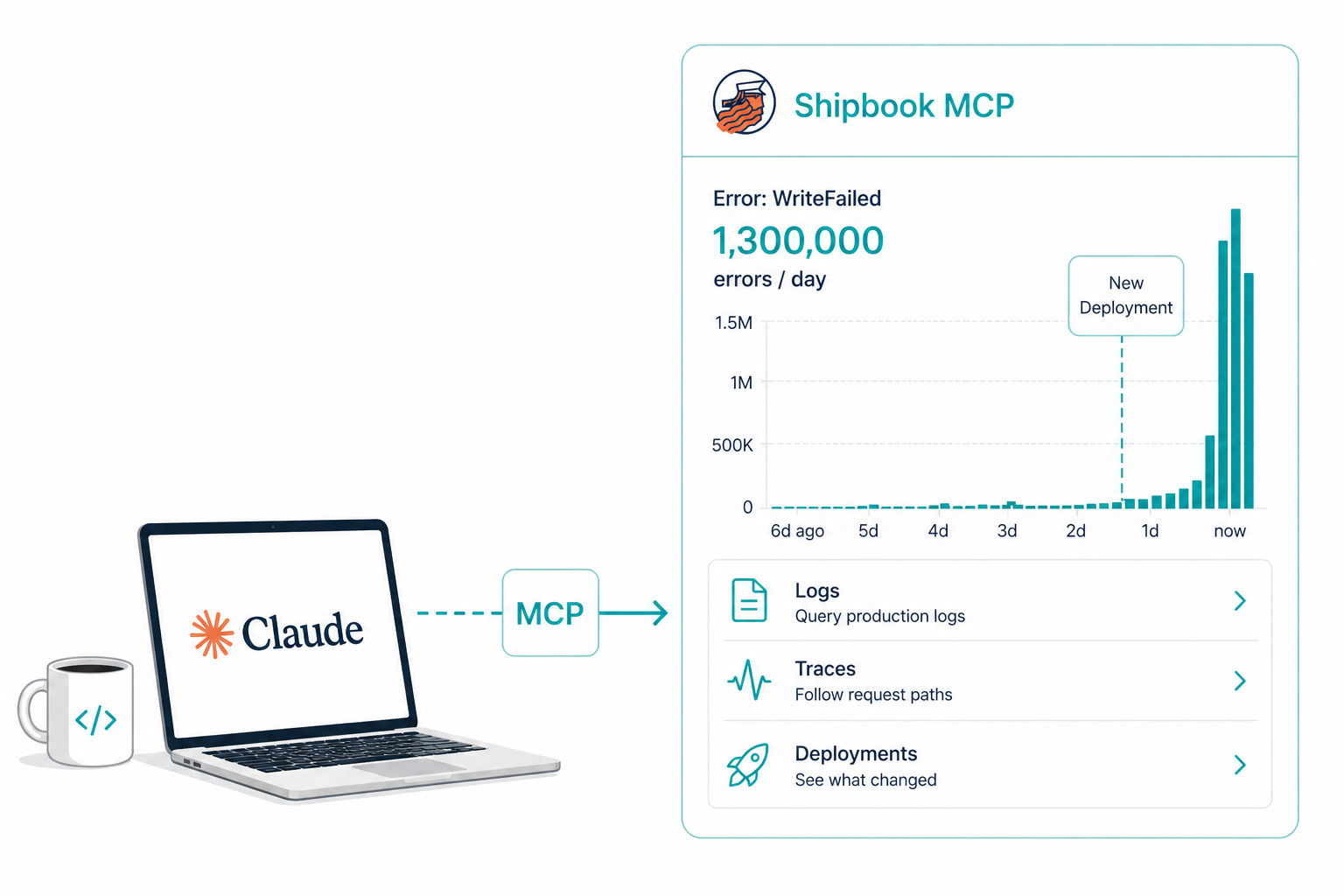
Claude querying production logs through the Shipbook MCP

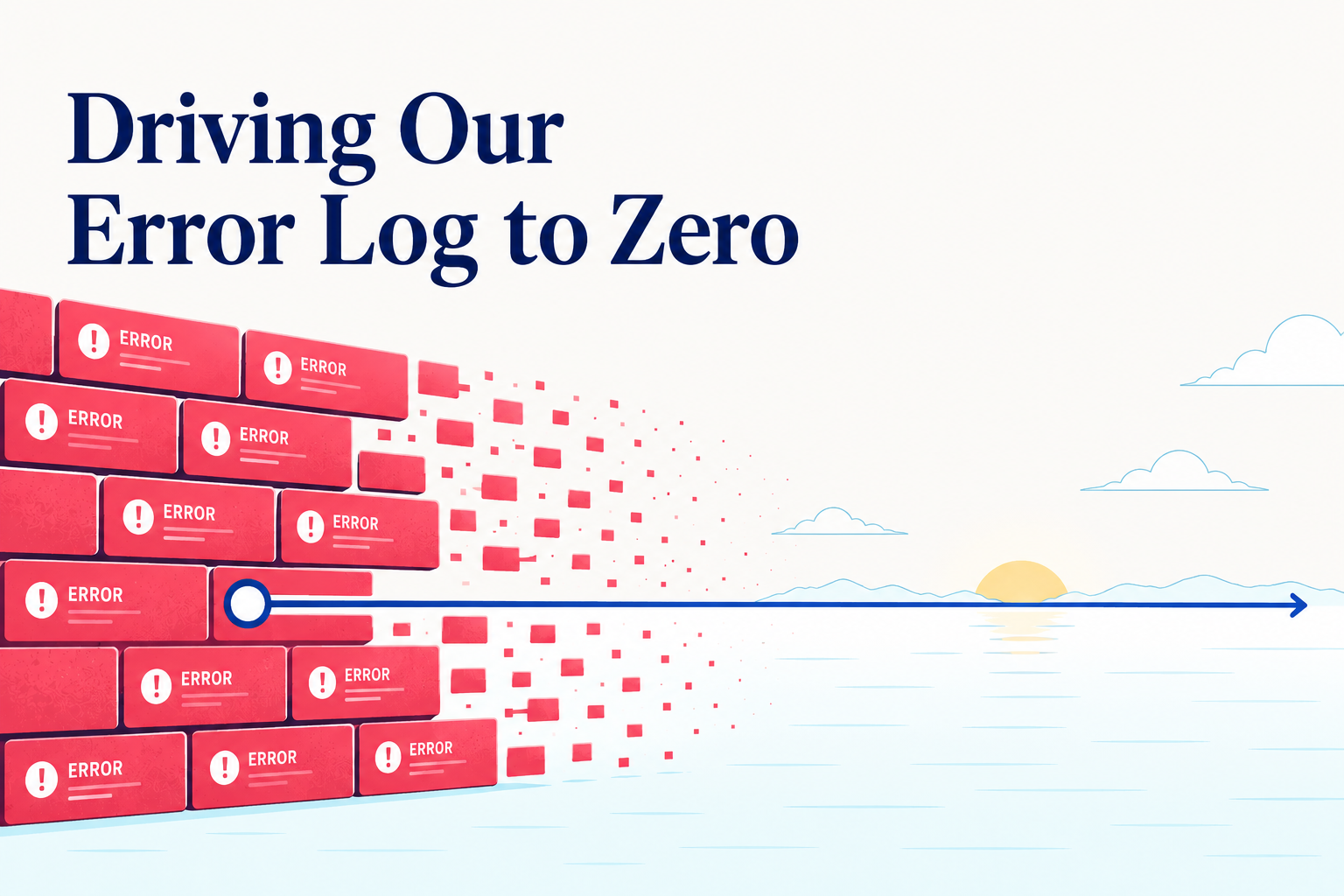
The Bug Hiding in Our Logs That AI Almost Helped Us Miss

A unit test was timing out on my laptop. The kind of small annoyance you push to next week. I asked Claude to look at it.

A couple of hours later we had a fix. We also had something I did not expect: confirmation that the same bug, in a slightly stricter form, had been firing 1.3 million times a day in production for the past day and a half — silently, in a fire-and-forget error path nobody was watching.

The fix is uninteresting. The way we got there is the part worth writing about.

The Hypothesis That Sounded Small

While Claude was poking at the local failure, it offered a guess about the production impact. The buggy code path was reached only by a couple of background jobs, it said. Bounded scope. The kind of thing you fix in the next deploy window, not at midnight.

It was a confident answer. Two callers. Job tier. Done. Claude did add a passing line at the end — "worth grepping production logs to confirm" — but it landed the way most footnotes land: as a thing you nod at and move on from. The whole framing pointed away from urgency.

I almost moved on. The fix was ready, the tests were green, and there was nothing in the model's analysis that suggested otherwise. What I did instead — and this is the only thing I want to take credit for in this whole story — was not accept the confident answer. I told Claude to actually check. Pull the production logs. See if the bug was, in fact, contained.

That single sentence is the difference between this story and the much more boring version of it. Claude had given me a tidy diagnosis. The diagnosis was wrong. And the only reason I knew to push back is that I have learned, slowly and at some cost, that "bounded scope" answers from a confident model are exactly where I should be most suspicious. Not because the model is reckless. Because confident reasoning in the absence of data is just well-formed guessing.

So Claude called the Shipbook MCP and pulled a seven-day histogram of the relevant error.

The histogram looked like a wall. Six errors a day. Six. Four. Three. Six. Then a cliff. Then 1.3 million.

A number that high cannot come from a job that runs every five minutes. The original "background jobs only" story was wrong, and it was wrong by an order of magnitude that none of us — engineer or model — would have inferred from the code alone. The cliff also lined up exactly with a constant in our own code that had switched on stricter behavior in our new infrastructure. The story was no longer "small bounded bug." It was "we have been silently breaking writes to a whole cluster since the moment we deployed that constant, and we did not know."

The MCP did not just confirm a hypothesis. It overturned a benign one and replaced it with a real one.

What the Tight Loop Actually Buys You

I want to be careful about what is new here, because plenty of tools claim some version of "AI debugs production." Most of them are wrong.

What is new is not that an AI can look at logs. It is that the model can stay inside its hypothesis-and-test loop without leaving the conversation. The engineer's job, in that loop, is no longer to fetch data. It is to decide which questions are worth asking. The model handles the rest.

The volume on that histogram did not just upgrade the priority of the bug. It corrected the model. With the number on the table, Claude re-read the code, found a caller it had missed — on the request path of every active session — and revised its picture of the situation. The interesting thing is not that the model corrected itself, but what corrected it. It was not better reasoning. It was a number that did not fit the story. A model that cannot see production will keep telling stories that do not survive contact with it. A model that can see production gets caught when it is wrong, and updates.

This is the loop we are betting on: the model proposes, the data disposes, and both stay in the same conversation while it happens.

Two Bugs for the Price of One

While we were already inside the data, we noticed something we had not gone looking for. The first bug had been masking a second one. A customer we had recently promoted to a higher tier was supposed to have their traffic distributed across several pieces of dedicated infrastructure. Because of a related routing decision, all of their traffic had been piling onto one of those pieces, with the others sitting empty.

We would have caught this eventually. Probably the next time someone looked at a latency dashboard and noticed an asymmetry. Probably weeks from now. We caught it today, because we were already there. It cost us one extra question.

This is, I think, an underrated effect of having a low-friction loop. When the cost of looking is low, you look more. When you look more, you find things you would not have specifically gone hunting for. Cheap curiosity compounds.

Logs Nobody Queries Are Not Insight

The bug that bled 1.3 million times a day was logged faithfully. Every single error was caught, formatted, written out — and ignored. It was not in a dashboard. It did not page anyone. The error path was deliberately fire-and-forget, because the alternative would have been a request-blocking failure mode that we did not want.

A log no one queries is closer to a tree falling in an empty forest than to information. It exists, but it does not act on the world. Most production systems are full of these. We have built a generation of observability tools that are excellent at producing logs and mediocre at producing attention.

The interesting question is not "how do we collect more logs." It is "how do we make the logs that already exist legible to the people, or the agents, who can do something about them."

Ground Truth and the Model

There is a thing AI systems are bad at, which is making confident claims about specific facts they cannot verify. There is a thing they are good at, which is reasoning over data once that data is in front of them.

The trick is to put the data in front of them. Not as a paragraph in a prompt — as a tool call. Not as yesterday's snapshot — as live state. The model should not be guessing what production looks like; it should be looking.

That is what an MCP server does. It turns whatever capability you wire up — logs, in this case — into a function the model can call when it decides it needs the answer. The model's reasoning is no longer floating; it is anchored to whatever ground truth you have given it access to.

We have spent the last few months wiring our own product into our own conversations. Our logs sit a tool call away from Claude. So do our deployments, our error analytics, our session traces. The result is not magic. It is something quieter and more useful: an engineer and an agent, looking at the same reality at the same time, and reasoning about it together.

The Footnote That Matters

There is one more thing worth saying, because it is the most honest part of the story. No end user was affected by any of this.

The cluster where the writes were failing was the new one — the secondary side of an in-progress migration. Reads were still being served from the original cluster, which was healthy and complete. The 1.3 million errors a day were silently accumulating inside our own infrastructure, on a side of the system no customer was reading from. To anyone using Shipbook today, everything looked fine. It was fine.

The damage was strictly future damage. The day we cut over reads to the new cluster, every one of those failed updates would have surfaced as a missing field, a stale session, a piece of context that should have been there and was not. The bug was a quiet, slow accumulation of data drift that would have detonated the moment we trusted the new cluster.

I almost did not include this section because it felt like deflating the drama. But it is actually the point. The most valuable bugs to catch are the ones that are not yet on fire — the ones that are loading their fuel quietly, behind a flag, on a path nobody is yet looking at. Those are the ones that turn into postmortems six months later, when the team has forgotten the context and the data is unrecoverable.

We did not catch a customer-facing crisis today. We caught the seed of one, while it was still small enough to fix in an afternoon. That is the kind of catch a tight loop with production data makes possible. Not heroic firefighting. Just earlier noticing.

The Quiet Lesson

I keep coming back to one thing. The bug we found today was not a hard bug. It was a small, bounded, fixable mistake — the kind of thing any engineer would have spotted in five minutes if they happened to be looking at the right log line.

Nobody was looking. Nobody was going to look. It would have hidden until the migration finished and the damage became visible.

The thing that broke this pattern was not a smarter model or a better dashboard. It was that the model could ask the question, and the answer was right there, in the same conversation. That is the loop we are betting on. It feels small from the inside. From the outside, I think it is going to look like a quiet shift in how production systems are kept healthy.

A flaky test on a Wednesday afternoon is not where I expected to start writing about that. But here we are.

· 7 min read
Elisha Sterngold

Dogfooding Shipbook

Why We Started Dogfooding Shipbook — and What We Found

There is an old principle in software: use what you build. The industry calls it dogfooding — short for "eating your own dog food," meaning if you build a product, you should use it yourself. The logic is simple: if it is not good enough for you, it is not good enough for your customers. If you are not experiencing your own product the way your users do, you are flying blind. You can read every support ticket, study every metric, and still miss what it actually feels like when something goes wrong.

For years, Shipbook was a logging platform built for mobile apps. Our SDKs covered iOS, Android, Flutter, and React Native. Our users were mobile developers — and so was I. Before Shipbook, I was VP R&D at a mobile app services company, which is where the idea for Shipbook was born. But time passes. As the product grew, I spent less time inside mobile apps and more time building the platform itself — the web console, the backend, the infrastructure. Even though Shipbook was born from the mobile world, our own day-to-day work had moved beyond it. Our stack — a web console, a Node.js backend — lived outside the reach of our own tools. We could see our users' logs, but we could not see our own.

That had to change.

Building the SDKs We Needed

We added a browser SDK and a Node.js SDK to our JavaScript SDK family. The main motivation was to close the gap between us and our users. We wanted to instrument our own web console and backend services with Shipbook, to see our own errors, our own warnings, our own performance issues flow through the same pipeline our customers rely on.

The moment we deployed them, something shifted. Issues that had previously been abstract — a user reporting a vague problem, a spike in an error metric — became concrete. When the console threw an error, we saw it in our own logs. When the backend hit an edge case, we felt it. There is a fundamental difference between reading a report about a problem and encountering it yourself while doing your own work.

The Difference Between Hearing and Feeling

When a user files a bug report, you investigate. You look at the evidence, reproduce the issue if you can, and fix it. It is a rational process. But when you yourself hit that same issue — when you are in the middle of debugging something else and the console behaves unexpectedly — you feel it differently. The urgency is not simulated. The frustration is not secondhand. You do not need a priority score to know this needs fixing.

This is the real argument for dogfooding. It is not just about finding bugs. It is about changing your entire relationship to your product. When you use it daily, you do not only discover what is broken — you discover what is missing. You feel the features that should exist but do not. You notice the workflows that are clunky, the information that is hard to find, the capabilities you keep wishing you had. No feature request from a user can replicate that intuition. Dogfooding drives not just quality, but product direction.

We started noticing things our users had probably noticed for months. Small annoyances, missing capabilities, rough edges that individually seemed minor but collectively degraded the experience. The kind of things that rarely make it into a support ticket because no single one is worth reporting — but that erode trust over time.

When Claude Met Our Logs

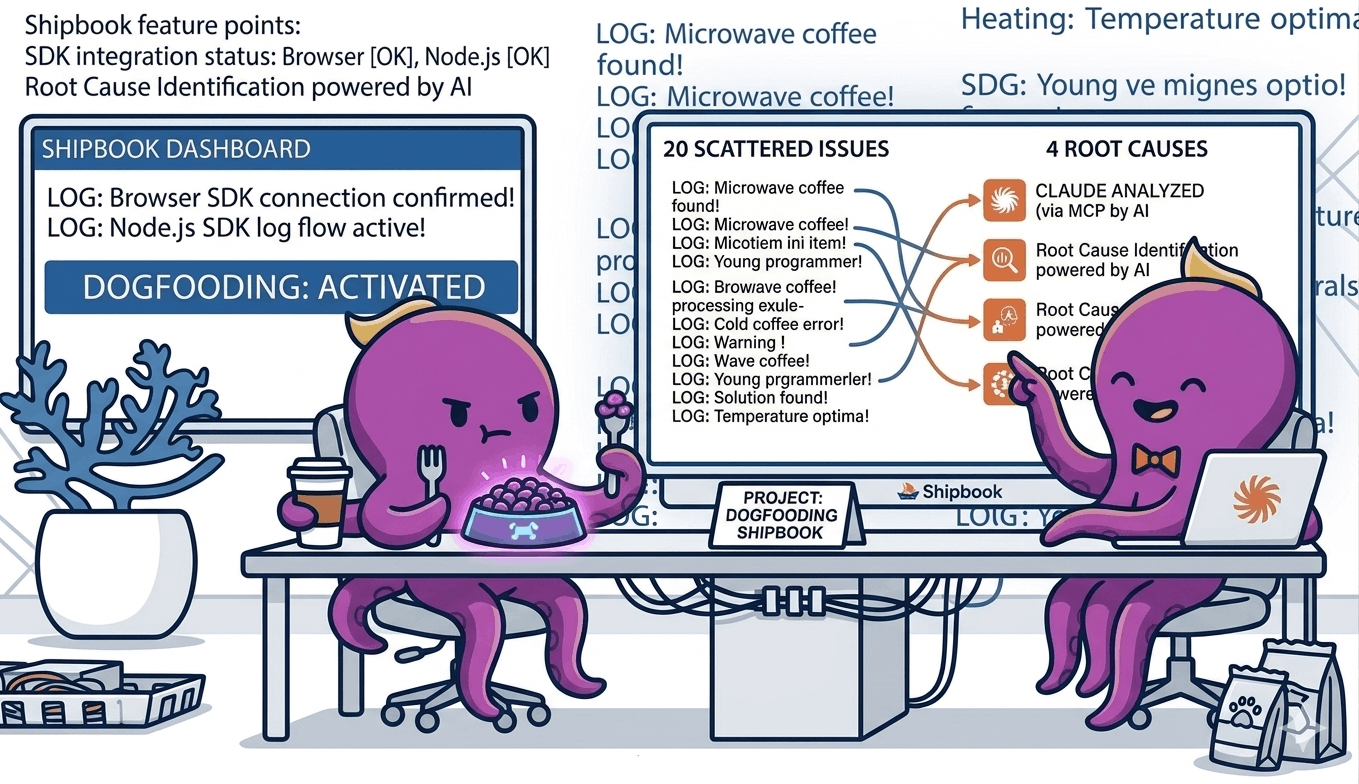
The most surprising chapter came when we connected Claude to our Shipbook data through an MCP server. We gave it access to our Loglytics — the aggregated error analytics that Shipbook computes across sessions — and asked it to analyze the issues.

Loglytics was already doing a good job — it had identified around twenty distinct error patterns, grouped and ranked by frequency and impact. That alone is valuable. But what happened next is where the real power showed up.

Claude processed the full Loglytics output and consolidated the twenty issues into four root causes. Not four categories — four actual underlying issues. And then it did not stop at the analysis. It went ahead and fixed them directly in the code.

This is where the combination of Shipbook Loglytics, MCP, and Claude Code becomes something greater than its parts. Loglytics surfaces the problems. MCP gives Claude access to that data. And Claude Code has the ability to reason about the issues and write the fixes. The entire loop — from detection to diagnosis to resolution — happened without manual triage, without prioritization meetings, without context-switching between tools.

Ground Truth Changes Everything

This experience crystallized something we had been thinking about for a while: AI is most powerful when it has ground truth to work with. Give a model a vague question and you get a vague answer. Give it structured, real-world data — actual logs, actual error patterns, actual stack traces — and it becomes remarkably precise.

Our logs were not just records of what happened. They were the ground truth that made Claude's analysis trustworthy. Every conclusion it drew was anchored in real data from real sessions. There was no hallucination risk because the model was not speculating — it was reasoning over facts.

This is where logging and AI intersect in a way that feels genuinely new. Logs have always been valuable for debugging. But when you feed them to a model that can reason about patterns at scale, they become something more: a foundation for proactive quality improvement.

Fixing Issues Before Users Complain

The most valuable outcome was not just finding the four root causes. It was fixing them before our users had to ask. We knew from the data that these issues were affecting real sessions. We could see the frequency and the impact. But no one had filed a ticket yet — or if they had, it was buried in vague descriptions that did not point to the root cause.

By dogfooding our own system and letting AI analyze the results, we moved from reactive support to proactive improvement. We did not wait for complaints. We saw the problems ourselves, understood them deeply, and resolved them.

This is the cycle we now believe every product team should aim for: use your own product, instrument it thoroughly, feed the data to AI, and fix what it finds — before your users have to tell you something is wrong. It is a higher standard of quality, and it is only possible when you are willing to be your own harshest critic.

The Lesson

Building a product you do not use yourself is like writing a book you never read. You might get the structure right. You might catch the obvious errors. But you will miss the experience — the pacing, the friction, the moments where things just do not feel right.

We should have dogfooded Shipbook sooner. Now that we have, we cannot imagine going back. Every issue we find in our own usage is an issue we fix for everyone. And with AI turning our logs into actionable insights, the gap between "something is wrong" and "here is exactly what to fix" has never been shorter.

· 10 min read
Elisha Sterngold

Logs in the Age of AI Agents

Software developers have always relied on logs as a fundamental tool for understanding what happens inside running systems. Logs capture reality: the sequence of events, the state of the system at a given moment, errors that occurred, and the context in which everything happened.

As AI agents increasingly participate in writing, modifying, and maintaining code, it may be tempting to think that logs will become less important — or even obsolete. In practice, the opposite is true. Logs are becoming more critical than ever. The difference is who will primarily consume them, and how they need to be structured.

This post explores why logs remain essential in the age of AI agents, how the nature of logging is likely to change, and what this means for modern development platforms.

AI Makes Mistakes — Just Like Humans

To understand the future role of logs, we need to start with a realistic understanding of how large language models (LLMs) work.

LLMs do not reason about code in the same way compilers, interpreters, or formal verification systems do. They generate output by predicting the most likely next token based on vast amounts of training data. This makes them extremely powerful pattern generators — but not infallible problem solvers.

As a result:

  • LLMs make mistakes, sometimes obvious and sometimes subtle.
  • They can produce code that looks correct but fails under real-world conditions.
  • They are prone to hallucinations — confidently generating incorrect logic, APIs that don’t exist, or assumptions that are not grounded in reality.
  • They often lack awareness of runtime behavior, concurrency issues, environmental differences, or system-specific edge cases.

Let’s look at a few concrete examples.

Example 1: Android Logging Gone Wrong

Imagine an AI agent generating Android code to log network responses:

Log.d("Network", "Response: " + response.body().string())

At first glance, this looks fine. But in practice, calling response.body().string() consumes the response stream. If the same response is later needed for parsing JSON, the app will crash or behave unpredictably. Both human developers and AI models can overlook this subtle side effect during implementation or testing.

Proper logging would look like this:

val bodyString = response.peekBody(Long.MAX_VALUE).string()
Log.d("Network", "Response: $bodyString")

However, even with this fixed version, there’s still an occasional issue where it can run into memory problems, especially when processing extremely large responses or values that approach the system’s maximum capacity.

This exactly shows the complexity of code. Without logs showing the crash or missing data, the AI agent would have no feedback that its generated code caused a runtime issue.

Example 2: iOS threading Issues

Consider an AI model generating Swift code for updating the UI after a background network call:

URLSession.shared.dataTask(with: url) { data, response, error in
if let data = data {
self.statusLabel.text = "Loaded \(data.count) bytes"
}
}.resume()

This code compiles and may even work sometimes, but it violates UIKit’s rule that UI updates must occur on the main thread. The result could be random crashes or UI glitches.

A correct version would wrap the UI update in a DispatchQueue.main.async block:

DispatchQueue.main.async {
self.statusLabel.text = "Loaded \(data.count) bytes"
}

Logs capturing the crash or warning from the runtime would be the only reliable signal for the AI agent to detect and correct this mistake.

Example 3: Hallucinated APIs

LLMs sometimes invent REST APIs that don’t exist — something that might only become apparent once the product is running in production. For example, an AI might generate code that calls a fictional endpoint:

val response = Http.post("https://api.myapp.com/v2/user/trackEvent", event.toJson())
if (response.isSuccessful) {
Log.i("Analytics", "Event sent successfully")
}

If that /v2/user/trackEvent endpoint was never implemented, the code will compile and even deploy, but the system will start logging 404 errors or timeouts once it’s live. Those logs are the only signal — for both humans and AI agents — that the generated API was imaginary and needs correction.

These limitations are not bugs; they are intrinsic to how current models operate. Even as models improve, it is unrealistic to expect near-future AI-generated code to be consistently perfect in production environments.

This is precisely where logs remain indispensable.

Logs as the Source of Truth

When something goes wrong in production, developers don’t rely on intentions, comments, or assumptions — they rely on evidence. Logs provide that evidence.

The same applies to AI agents.

Regardless of whether code is written by a human or generated by an AI, runtime behavior is the ultimate arbiter of correctness. Logs record what actually happened, not what was expected to happen.

They answer questions such as:

  • What sequence of events led to this state?
  • What inputs did the system receive?
  • Which branch of logic was executed?
  • What errors occurred, and in what context?
  • How did external dependencies respond?

Without logs, both humans and AI agents are left guessing.

Why AI Agents Need Logs

As AI agents increasingly participate in development workflows — generating code, refactoring systems, fixing bugs, and even deploying changes — logs become a critical feedback mechanism.

Logs Close the Feedback Loop

AI agents operate on predictions. Logs provide feedback from reality.

By analyzing logs, an AI agent can:

  • Validate whether generated code behaved as intended
  • Detect mismatches between expected and actual outcomes
  • Identify patterns that indicate bugs or regressions
  • Learn from failures in real production conditions

Without logs, AI agents have no reliable way to distinguish correct behavior from silent failure.

Logs Enable Root Cause Analysis

When failures occur, understanding why they happened requires context. Logs provide structured breadcrumbs that allow both humans and AI to trace causality across components, services, and time.

As AI systems take on more responsibility, automated root cause analysis will increasingly depend on rich, well-structured logs.

How Code Will Be Built in the Future

The rise of AI agents is not just changing how code is written — it is changing how software systems evolve over time.

We are moving toward a world where:

  • AI agents generate and modify large portions of code
  • Humans supervise, review, and guide rather than author every line
  • Systems are continuously adjusted based on runtime feedback
  • Debugging and remediation are increasingly automated

In such an environment, logs are no longer just a debugging tool. They become a primary interface between running systems and intelligent agents.

Think of logs as a bidirectional communication channel: they allow AI agents to observe system behavior in real-time, understand what's happening across distributed components, and make informed decisions about modifications and fixes. Just as APIs define how different services communicate, logs define how AI agents perceive and interact with running software. An AI agent monitoring logs can detect anomalies, correlate events across services, identify patterns that indicate potential issues, and even trigger automated responses — all without direct human intervention. This transforms logs from passive historical records into an active, queryable representation of system state that enables autonomous decision-making.

Logs May No Longer Be Written for Humans

One of the most significant shifts ahead is that logs may no longer need to be primarily human-readable.

Historically, logs were formatted for developers reading them line by line: timestamps, severity levels, free-form text messages, and stack traces.

But if the primary consumer of logs is an AI agent, the requirements shift fundamentally. Instead of human-readable prose, logs must become structured data streams that machines can parse, analyze, and reason about. Rather than a developer scanning through text messages, an AI agent needs programmatic access to event data with clear schemas, explicit context, and traceable relationships between events. The format matters less than the ability for algorithms to extract meaning, detect patterns, and make decisions based on what actually happened — not what a human thought was worth writing down.

Human readability becomes secondary. Humans may still access logs — but often through AI-generated summaries, explanations, and insights rather than raw log lines.

Logs as Active Participants in Autonomous Systems

As observability evolves, logs will increasingly move from passive storage to active participation in system behavior. Today, logs are primarily archives — repositories of what happened, consulted after the fact. Tomorrow, they will be real-time inputs that directly influence system actions.

We can already see early signs of this transformation:

  • Logs triggering alerts and automated workflows — when an error pattern appears, systems can automatically scale resources, restart services, or notify teams
  • Logs feeding anomaly detection systems — machine learning models analyze log streams to identify deviations from normal behavior before they escalate
  • Logs being correlated with metrics and traces — combining different signals to build comprehensive views of system health
  • Logs used to gate deployments or rollbacks — automated systems evaluate log patterns to decide whether a new release should proceed or be reverted

In AI-driven systems, this trend accelerates dramatically. Logs become the substrate on which autonomous decision-making is built. Instead of simply reacting to alerts, AI agents can proactively analyze log patterns, predict issues before they manifest, and autonomously implement fixes. An AI agent might notice subtle degradation patterns in logs, correlate them with recent code changes, generate a targeted fix, test it against historical log data, and deploy it — all without human intervention. In this model, logs aren't just records of the past; they're the sensory input that enables systems to observe, reason, and act autonomously.

Shipbook and the AI Age of Logging

At Shipbook, we believe logs are not going away — they are evolving.

Shipbook was built to give developers deep visibility into real-world application behavior, with features like:

  • Powerful search and filtering
  • Session-based log grouping
  • Proactive classification in loglytics

But we take this even further with our Shipbook MCP Server. By implementing the Model Context Protocol, we allow AI agents to directly connect to your Shipbook account. This means your AI assistant can now search, filter, and analyze real-time production logs to help you debug issues faster and more accurately.

But we are also looking ahead.

We are actively developing capabilities that prepare logs for the AI age: logs that are easier for machines to interpret, analyze, and reason about — while still remaining useful for human developers.

As AI agents become first-class participants in software development, logs won't just be a debugging tool — they'll be the trusted interface that enables intelligent systems to understand, learn from, and improve the code they generate. That's the future we're building at Shipbook: logs that power both human insight and AI autonomy.


Ready to prepare your logging infrastructure for the AI age? Shipbook gives you the power to remotely gather, search, and analyze your user logs and exceptions in the cloud, on a per-user & session basis. Start building logs that work for both your team today and the AI agents of tomorrow.